
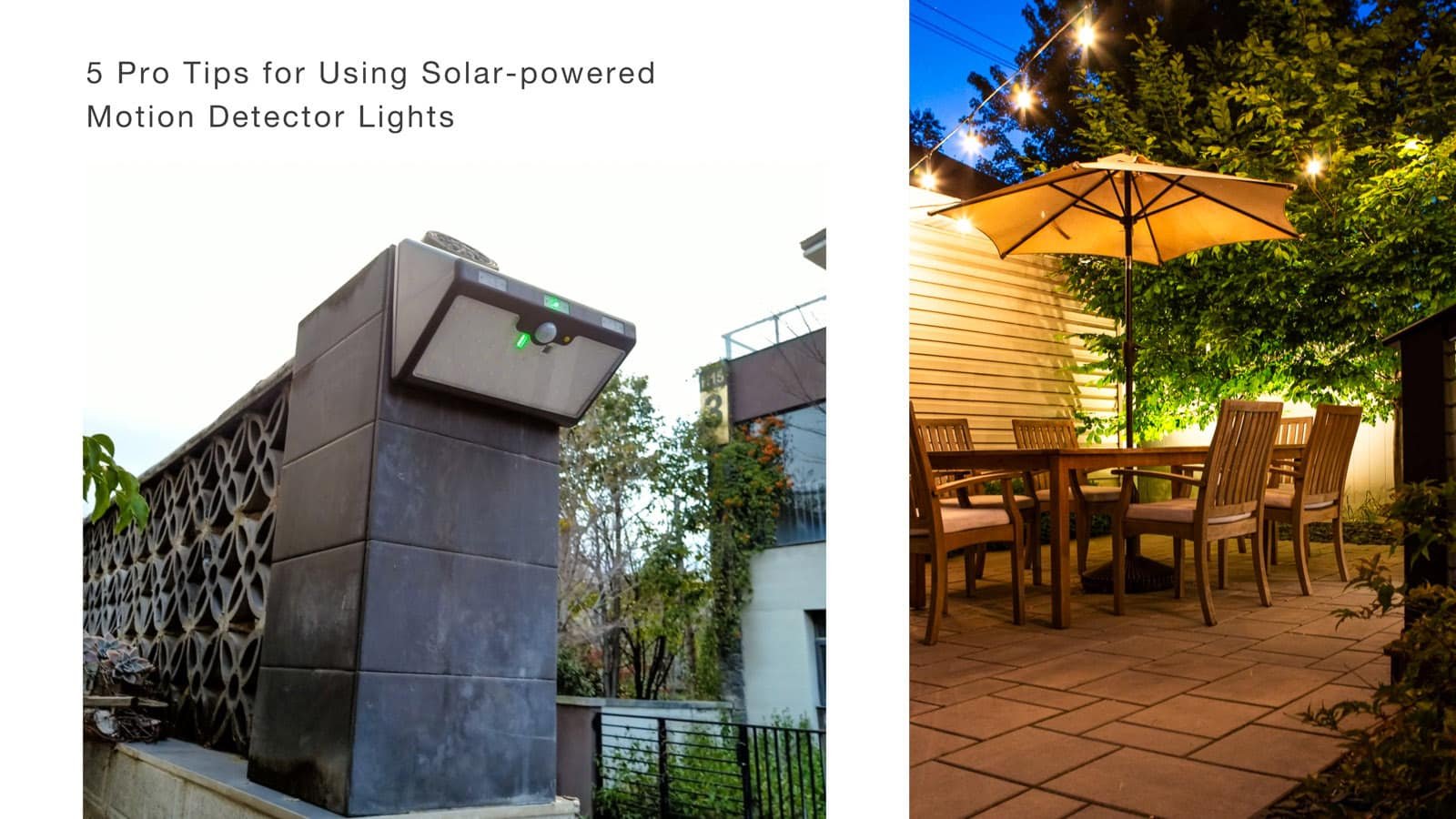
Solar-powered motion detector lights are popular for outdoor lighting because they’re energy-efficient, reliable, and easy to maintain. They use the power of the sun to light up spaces automatically when motion is detected, making them ideal for enhancing security and visibility in driveways, porches, and commercial properties. However, proper installation and regular upkeep can significantly improve their performance and longevity. Here, we’ll guide you through five key tips to help you get the most out of your solar powered motion detector lights.
1. Choosing the Ideal Installation Location
The first step to optimizing your solar motion detector lights is finding the right spot to install them. Solar panels need adequate sunlight to recharge during the day, so location is crucial. Here’s what you need to know:
Find a Sunlit Area: Solar panels work best when placed in direct sunlight, with no obstructions like trees, buildings, or other structures casting shadows on them. For most locations, positioning the light in a south-facing area will allow it to capture the most daylight hours. If you’re installing in a high-latitude area where sunlight is limited, maximizing exposure becomes even more important.
Recommended Height for Optimal Range: Installing solar lights at the correct height ensures both effective lighting and broad motion-detection coverage. A height of around 6-10 feet (2-3 meters) is generally ideal. This allows the motion sensor to detect movement over a broader range, usually up to 50 feet (15 meters), while providing adequate light distribution over the area.
Pro Tip: Before permanently mounting the light, you may want to test different areas to observe how sunlight moves across your chosen space. Place the light temporarily in potential locations and monitor the charging performance over a few days to determine the best spot.
2. Setting the Right Mode for Your Needs
Many solar-powered motion detector lights come with multiple modes (e.g.: 9 modes for CLL-PL-368) designed for different purposes, like motion sensing, constant light, and even emergency flashing, providing flexibility for various environments and uses.
Understand Each Mode: Here are a few examples of the modes you may encounter:
- Motion Sensing + Dim Light: Ideal for pathways or front porches, this mode provides dim illumination that brightens upon detecting motion, balancing security and power efficiency.
- Constant On for 4-6 Hours + Motion Sensing: Perfect for commercial areas or backyards where consistent lighting is needed during early nighttime hours, followed by motion-activated lighting later on.
- Emergency SOS Flashing: A unique feature for situations where emergency signaling is necessary, like in remote areas or during severe weather events.
Selecting the Right Mode for Each Area: Consider the location and your specific needs when choosing a mode. For example, for a family home, a motion-sensing mode might work best for security lighting around entry points or garages. In contrast, constant light modes are more suited for commercial spaces like parking lots or entryways, where consistent lighting is crucial.
How to Use the Remote Control: Most solar motion lights with multiple modes come with a remote control, allowing you to switch modes and even adjust brightness from a distance. Familiarize yourself with the remote’s functions so you can make quick adjustments based on current needs or weather conditions. And if you need to reset the light to its default settings, a quick tap on the “RESET” button will typically restore it to motion-sensing mode.
Pro Tip: Remember that each mode has a specific power consumption level, so choosing a mode based on energy efficiency can help keep the battery charged longer, especially during cloudy days or in low-sunlight seasons.
3. Keep Solar Panels Clean for Optimal Charging
Solar panels are the heart of your solar-powered motion detector lights—they collect sunlight and convert it into energy stored in the battery. Dust, debris, and other particles can block sunlight from reaching the panels, reducing charging efficiency. Cleaning the solar panel periodically ensures it collects as much sunlight as possible.
Regular Cleaning Tips: For most environments, cleaning the solar panel every 3-6 months is adequate. Use a soft, damp cloth to gently wipe away any accumulated dirt, dust, or bird droppings. Avoid using abrasive materials or strong cleaning agents, as these can scratch or damage the surface of the panel.
Seasonal Cleaning: In areas with high levels of dust, pollen, or pollution, you may need to clean the panels more frequently. For example, during autumn, when leaves fall, or after a rainstorm that may leave residue, cleaning can help ensure the panel remains clear. If your area experiences snow, brushing off the panel after a snowfall prevents blocked sunlight.
Pro Tip: Check the battery indicator if your solar light has one. If the light isn’t reaching full charge despite good sunlight, dirt on the panel may be the cause. A quick clean can help restore its charging efficiency.
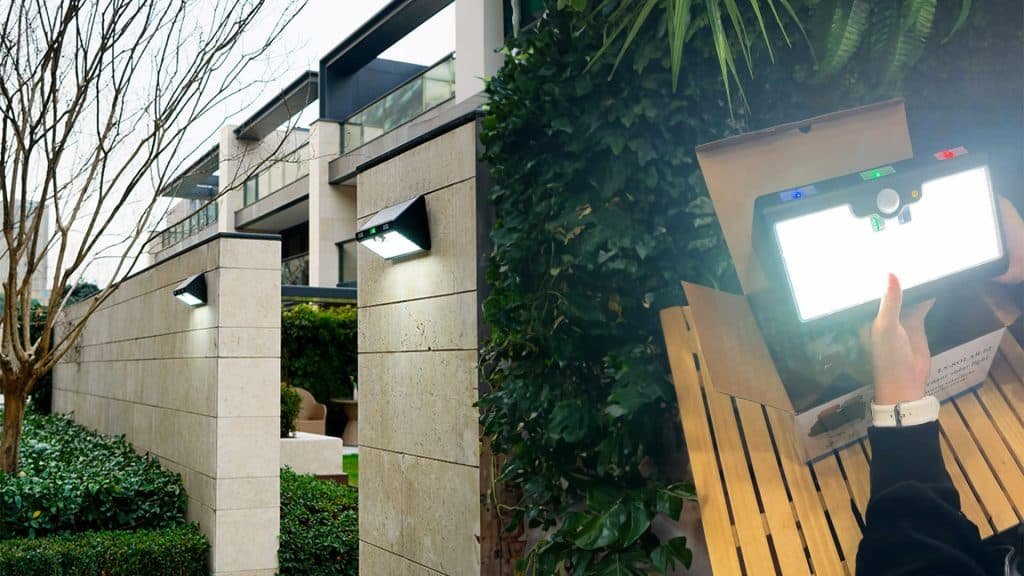
4. Monitor Battery Health to Extend Product Lifespan
The battery bank is an essential component of any solar motion light. Even though they’re rechargeable, batteries do wear out over time, especially if not properly maintained. Taking care of your solar motion light’s battery can extend its life and ensure steady performance.
Understand Charging Conditions: Solar batteries can be sensitive to extended cloudy periods. If you notice that the light isn’t working as efficiently after several cloudy days, it may need to be recharged in direct sunlight. For LiFePO4 batteries commonly used in solar-powered motion detector lights, leaving them in full sunlight for a day can help reactivate them if they’ve been inactive.
Avoid Long-Term Indoor Storage: If you don’t plan to use the solar motion sensor light for an extended period (such as during winter in regions with very limited sunlight), store it indoors only if necessary. However, try to place it in a location with some natural light to keep the battery from discharging completely, which can shorten its lifespan.
Recognizing When to Replace the Battery: Over time, you might notice that the solar motion light doesn’t stay on as long, even after a full day of charging. This could indicate that the battery is reaching the end of its lifespan. Replacing the battery can often restore the solar light’s performance, extending the overall product life.
Pro Tip: If the solar motion light is still under warranty, consult the manufacturer before attempting a battery replacement. Some warranties may include battery coverage, which can save you the cost of replacement. For instance, each solar motion light made by Couleelight has a 5-year warranty.
5. Ensure Waterproof and Secure Installation to Prevent Damage
Since solar motion lights are typically used outdoors, they must withstand various weather conditions. From rain and wind to dust and snow, an outdoor environment can wear down improperly installed lights. Following correct installation practices can help your solar-powered motion detector lights endure the elements.
Check Waterproof Ratings: Most solar motion sensor lights come with a waterproof rating—IP65, for instance, indicates protection against dust and low-pressure water jets from any angle. Understanding this rating helps you gauge how well the light will resist rain or snow. However, even a high waterproof rating doesn’t make the light immune to all weather, so proper installation is still key.
Use Proper Fasteners for Stability: Using sturdy screws and anchors helps keep the light secure, even in strong winds. If your light is installed in an open or exposed area, consider using additional waterproof sealing around the screws to prevent water from seeping in.
Inspect Seals Regularly: Periodically check the casing, especially before stormy or wet seasons, to ensure the seals are tight and there are no visible cracks. A damaged seal can lead to moisture infiltration, which may damage the internal electronics or the battery. Re-seal or tighten as necessary to maintain a waterproof fit.
Pro Tip: For areas prone to extreme weather, installing a protective cover or shield above the light can add extra protection from heavy rain or snow while still allowing the solar panel to gather sunlight.
Conclusion
Proper installation and maintenance of your solar-powered motion detector lights ensure they provide the best performance and durability. From choosing the right installation spot to cleaning the solar panel and monitoring battery health, each step can make a significant difference. If you’d like more personalized advice or help selecting the right solar lighting solutions for your needs, Couleelight is here to help.
For more information on our products or to consult with our team, reach out via the contact details below. Brighten your outdoor spaces with reliable, eco-friendly lighting today!
Contact Us:
- Email: couleelight@gmail.com | info@couleelight.com
- Phone: +86 135 8850 6819 (WhatsApp)
FAQs:
- What is the best location to install solar motion lights?
Solar-powered motion detector lights should be placed in areas with maximum sunlight exposure, ideally south-facing and without obstructions. Installing them at around 6-10 feet (2-3 meters) high provides optimal motion detection.
- How often should I clean the solar panel on my solar security lights?
To maintain efficiency, clean the solar panel every 3-6 months. In dusty or high-pollen areas, more frequent cleaning might be necessary to ensure the panel receives adequate sunlight.
- Can I leave my solar motion sensor lights outside all year, even in winter?
Most solar motion sensor lights are designed for year-round outdoor use, but if you live in an area with harsh winter conditions, ensure your lights have a high waterproof rating (IP65 or above). Additional protection, like a cover, can help shield them from heavy snow or rain.
- How can I tell when it’s time to replace the battery?
A: If your solar motion light stops staying on as long as it used to despite full-day sunlight exposure, the battery may be nearing the end of its life. Replacing the battery can help restore full performance.
- What should I do if my solar security lights stop working?
First, check the solar panel for dirt or debris and clean it. Ensure the light is in a location with sufficient sunlight and check the battery indicator if available. If these don’t resolve the issue, consider replacing the battery or consulting the manufacturer.
6. Do I need a professional to install my solar-powered sensor lights?
A: No, most solar-powered sensor lights are designed for easy DIY installation. Just make sure to follow the instructions, place them in a suitable location, and use sturdy fasteners for secure mounting.