
USB-C backup charging is worth specifying when a G40 solar string light needs to be ready for a fixed evening schedule after a poor solar charging day. It adds a way to top up the battery if someone can reach the charging port, use a compatible power source in a dry location and allow enough time before the lights are needed. Before placing a bulk order, test that routine on the exact control box and string you plan to buy.

When backup charging helps
A retailer can top up a display set before a demonstration. For a campsite or short event, staff can top up the unit at a dry staging point before hanging the lights, using the charger specified for that controller. A venue can recover from occasional cloudy days if staff can reach the charging input and finish the top-up before service. A controller fixed high on a wall can make even occasional charging impractical.
If a shaded terrace needs a cable top-up most days, assess the panel location and lighting schedule before committing to the assortment. Compare the usable evening hours after representative solar exposure with the hours customers need. When the panel collects enough energy for those hours, the lights can run on stored solar energy without a USB top-up for that cycle. Any wider energy or emissions comparison needs a defined baseline and measured use.
Sunlight → panel → battery
Check how much useful evening light the site’s solar exposure supports.Approved source and cable → charging input → battery
Check whether the planned top-up covers the evening schedule.What the charging specification should say
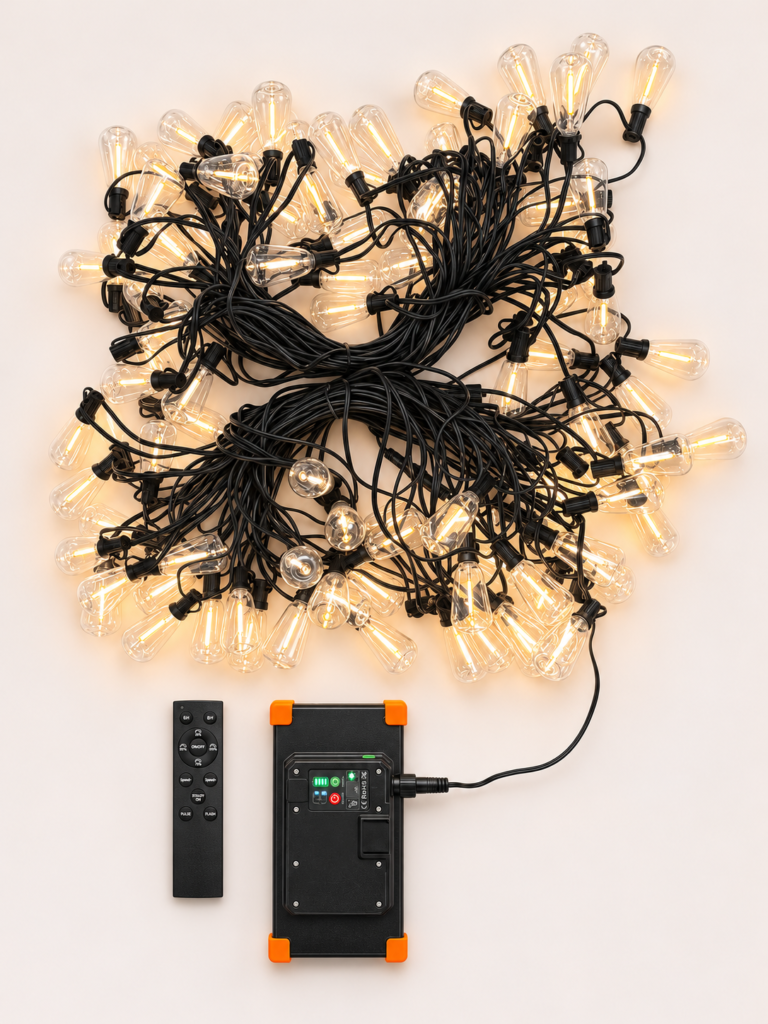
Identify the input on the exact assembly. Ask for a labelled photo or drawing of the quoted controller and panel assembly, with the cover open and closed and the model label visible. Identify the USB charging input, the solar connection and the light-string output. If the assembly also has a power-bank output, ask the supplier to mark it separately. Check whether the part with the charging port can be taken to a dry charging point under the manual’s instructions.
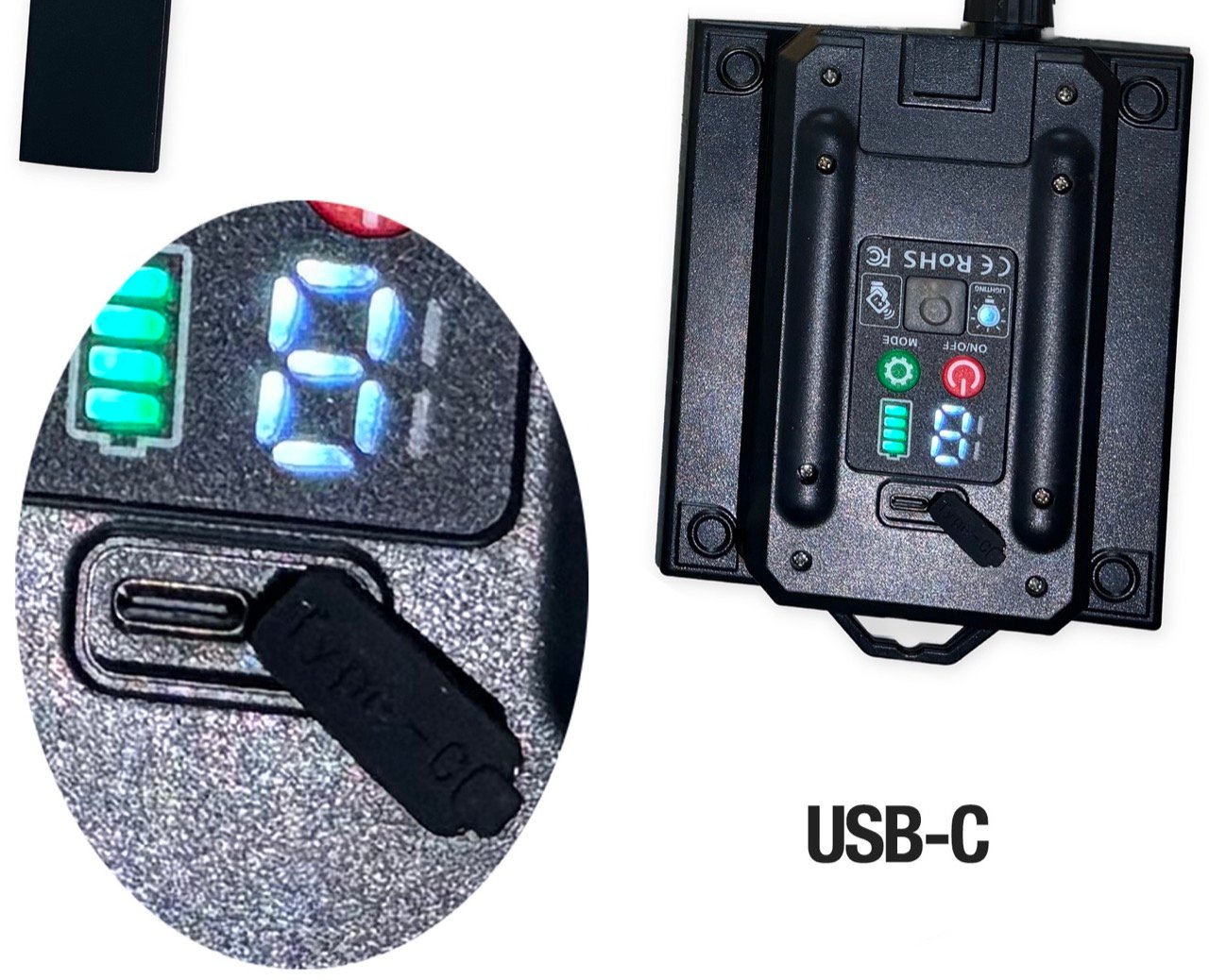
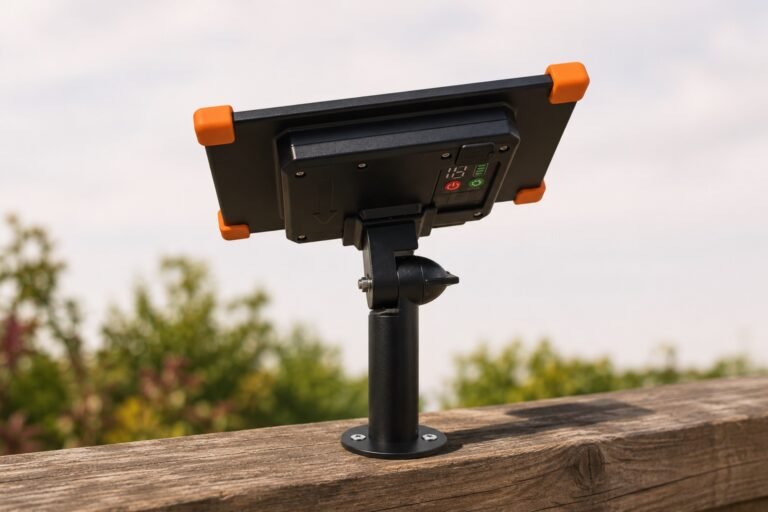
Couleelight’s 19-mode solar control-box listing specifies a Type-C charging input of 5 V / 2 A and separately lists a 5 V / 2 A USB power-bank output. Its Solar UltraCore gallery shows the rear controller housing on the panel assembly. Match the controller model and revision to the quoted G40 set before carrying either figure into a purchase specification.
Specify the cable and power source together. The USB-C receptacle identifies the connector shape. Compatibility depends on the device, cable and source as a combination. Request the supported input voltage and current, the supplied cable’s two plug types and approved sources. A USB-A charger with an A-to-C cable and a USB-C charger with a C-to-C cable are separate checks. Include the intended power bank if it matters to customers and check whether it stays on through the top-up.
Give protocol and speed claims their own evidence. A successful charge from a USB-C charger that supports Power Delivery establishes that the tested combination charged. It may be using ordinary USB-C power. For a PD claim, request a model-specific protocol report or a trace of the negotiated power contract from the sample. For a fast-charging claim, agree the starting and ending charge states and a comparison baseline, then time the charge under stated conditions. USB-IF’s overview of USB Power Delivery explains what the protocol adds.
The user instructions should show how to recognise charging and completion, whether the lights can operate during charging and how to refit the port cover. Charge in dry conditions in accordance with the model manual. For outdoor operation, check the report for the tested component and cover position. Require explicit instructions and evidence for any proposed use with a cable connected outdoors.
Sample approval checklist
Use one record per sample. Match the string, controller revision, panel and battery to the quotation. Agree the low-charge starting condition, brightness setting, mode and minimum usable brightness before comparing runs. Use the same brightness-check method for each run.
- Sample ID / quote / date ____________________
- String SKU / controller model and revision / panel / battery / manual revision ____________________
- Site / agreed low-charge start / brightness and mode / minimum usable brightness ____________________
- Minimum usable lighting time / maximum USB-C top-up window ____________________
- Acceptance basis Solar alone must meet the requirement / planned USB-C top-up is allowed after low sunlight
1. Confirm the ports and cover
Match the sample to a revision-marked specification and photos of the unplugged port, cover open and closed, and readable model label. Open and reseat the cover in dry conditions and check access at the planned mounting position. Record the port and cover fit and the component and cover state named in any ingress protection report. Hold if the hardware differs from the quotation, the cover does not seat, or the intended outdoor use falls outside the documented configuration.
2. Record the solar-only baseline
Leave USB disconnected. Charge under representative solar conditions and run the string at the agreed brightness and mode until output falls below the agreed minimum. Record starting charge, exposure, shade, temperature, weather, charging time and usable lighting time. Repeat over representative day and night cycles where possible.
Decision. If solar alone must meet the requirement, mark Hold when the baseline falls short. If planned top-up is allowed, keep the baseline separate and use the USB-C main test to decide whether the planned top-up meets the evening requirement.
Solar baseline / result / follow-up ____________________
3. Main USB-C test · Top up, unplug, then time the lights
- Use the quoted string and controller revision. For each required, supplier-approved combination, log the source model and port, both cable ends and the agreed low-charge start.
- In dry conditions, exclude solar input as directed by the manual. Keep the lights off and charge for the planned time within the buyer’s maximum top-up window. Record actual time and any interruption.
- Unplug USB. Run at the agreed brightness and mode. Time the usable light until it first falls below the agreed minimum brightness, or switches off if that occurs first.
Pass if the agreed top-up fits within the window and the unplugged string meets the minimum usable lighting time. Hold if the required top-up exceeds the window or usable lighting time falls short.
Copy one entry per actual combination. Log USB-A to USB-C, USB-C to USB-C and each intended power bank with its actual port and cable as separate combinations where required.
- Power source model and port ____________________
- Cable ends ____________________
- Starting charge or state ____________________
- Actual top-up time ____________________
- Charging interrupted? ____________________
- Usable lighting time after unplugging ____________________
- Result and follow-up ____________________
4. Check charge indications separately
Use the manual’s indicator key. Record the charging and full-charge cues for the approved combination, continuing a separate run to full if needed. Clarify any discrepancy before relying on the indicators in user instructions. The usable lighting time from the main test determines whether the top-up meets the buyer’s requirement.
Observed cues / result / follow-up ____________________
5. Check lights-on charging only if needed
Run this check only if the buyer needs the feature and the manual permits it. With solar excluded and the equipment dry, test the stated sensor, mode and timer conditions. Record whether the lights operate and whether the battery gains charge. Mark Not required if the feature is outside the brief. Mark Hold for the feature if it is required but undocumented or fails the agreed behaviour.
Observed behaviour / result / follow-up ____________________
Retain the approved sample and record. Repeat affected tests if the controller, panel, battery or cable changes before bulk supply.
Request a matched sample
Send Couleelight your preferred G40 configuration, destination market, required evening hours and the charger or power bank your customers are likely to use. Ask for the quoted controller revision, its charging instructions and a complete sample for review.
For string length, bulb count and trial-order planning, see the G40 wholesale buying guide. For the separate lighting-output checks, see how to match a solar control box to your string lights.